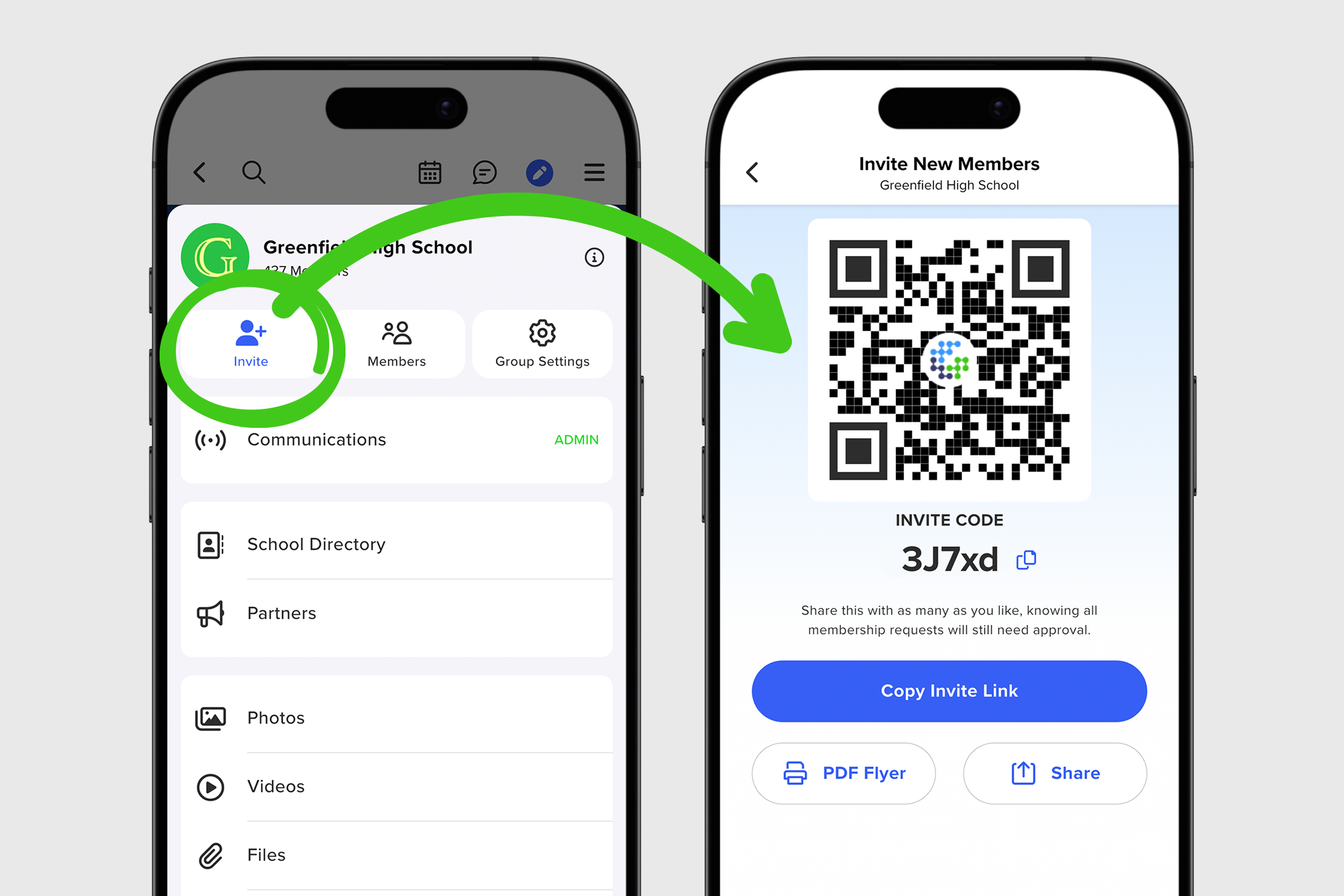
QR codes are great because they’re instantly accessible. Whether you’re sitting next to someone who wants to join your group or you need to save a code to add to a document or slide, QR codes make it easy. Here’s how to access your group’s QR code:
1. From your group’s main screen, tap the group menu and select the blue Invite icon.
2. On the next screen, you’ll see your QR code displayed at the top. A prospective member can scan it directly from your device to join.
3. To save the image for later use, simply long-press the QR code to open a menu with options to copy, save, or share.