

While GroupSpot provides confirmation messages and email receipts whenever a registration is completed, there may be times when you want to review your history later.
Maybe you cannot remember whether you already paid, a family member completed the transaction on your behalf, or you simply want to verify your records. With GroupSpot, your registration history is always available and easy to access.
To view your registration history, you have two paths:
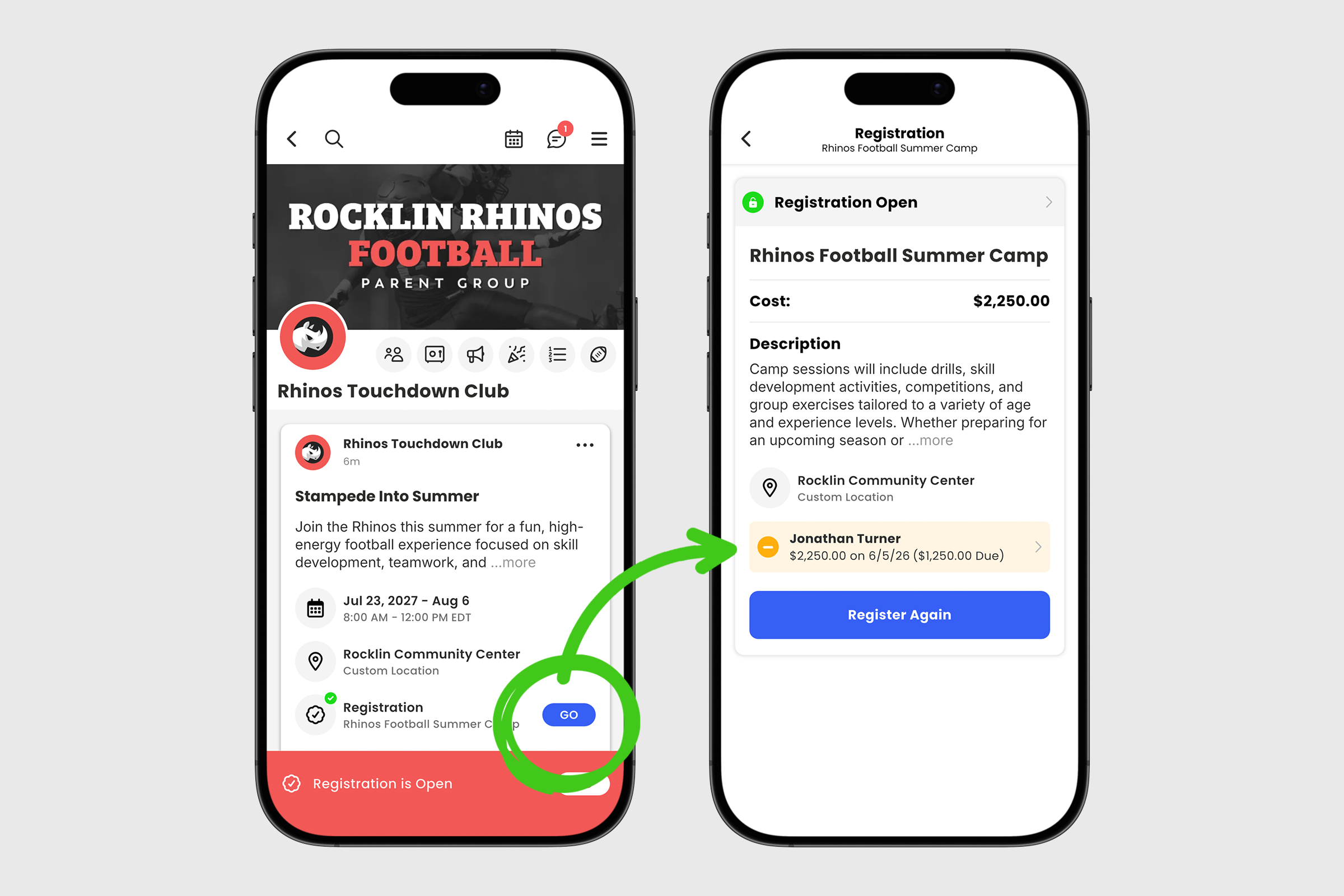
1. Locate the registration post in your feed.
2. If you have successfully registered, a green checkmark will appear on the registration row.
3. Tap the blue GO button to view additional details, including who is registered, the amount paid, and the date and time of the transaction.
1. Open your group menu and select Registrations.
2. In the upper navigation, members will see two tabs: All Registrations and My Registrations. Admins will see a third tab to review full histories of their member’s registrations.
3. Select My Registrations to view your complete transaction history.

4. Tap the completed registration to view additional details, including who is registered, the amount paid, and the date and time of the transaction.
Your transaction history is available anytime, giving you instant access to registration records whenever you need them. No need to search through old emails or contact an administrator. Everything is organized, up to date, and available right within GroupSpot.


