

Uploading your team's game schedule shouldn't feel like a chore. GroupSpot makes it easy with a downloadable template that allows you to import your entire schedule in just a few simple steps. What once required tedious manual entry can now be accomplished with a single spreadsheet upload.
Here's how to import your schedule of games:
1. Open the Schedule feature from either your Group Menu or the schedule shortcut icon on your group's home screen.
2. Tap the ••• in the upper navigation and select Import Schedule.
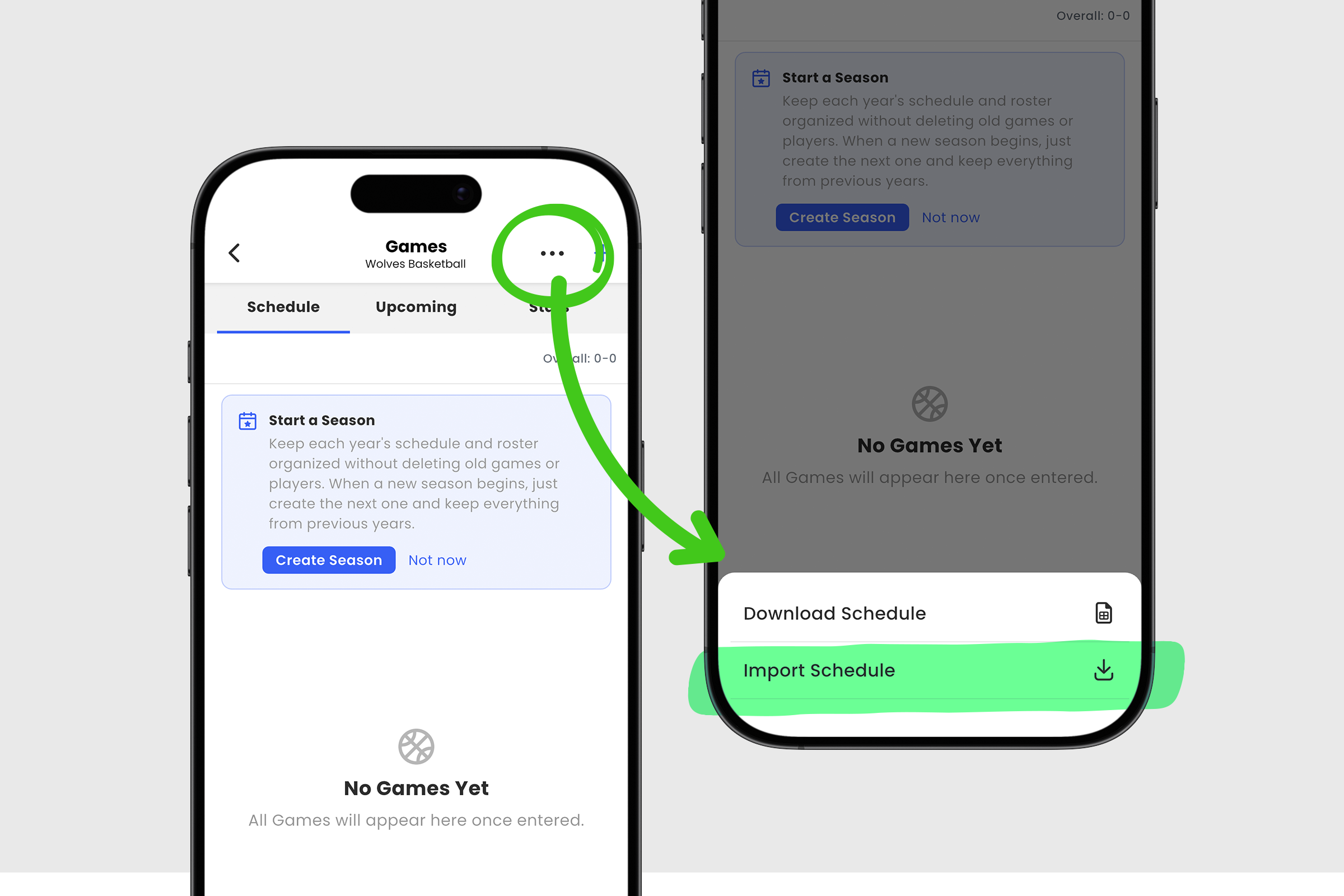
3. Tap Download Template.
4. Copy and paste your game information into the template, including details like Date, Time, Venue, Opponent, Type, Location, and State.
5. Once complete, save your spreadsheet as an XLSX or CSV file.
6. Return to the Import Schedule screen and select Upload Spreadsheet.
7. Select your saved XLSX or CSV file and tap Open.
8. Finally, tap the green Import Schedule button to confirm your upload.
That's it! Your entire game schedule is now imported into GroupSpot, saving you time and eliminating the need to enter games one by one. Now you can spend less time on setup and more time preparing for the season ahead.


