

GroupSpot allows administrators to organize signups into sections. For example, a tailgate or potluck can be divided into Appetizers, Main Courses, and Desserts. Sections are also useful for events that take place throughout the day, such as Pregame and Postgame volunteer assignments. Adding sections to your signup is quick and easy.
1. Create your signup by selecting your post type and tapping Add to Post.
2. Select Signup from the add-on menu.
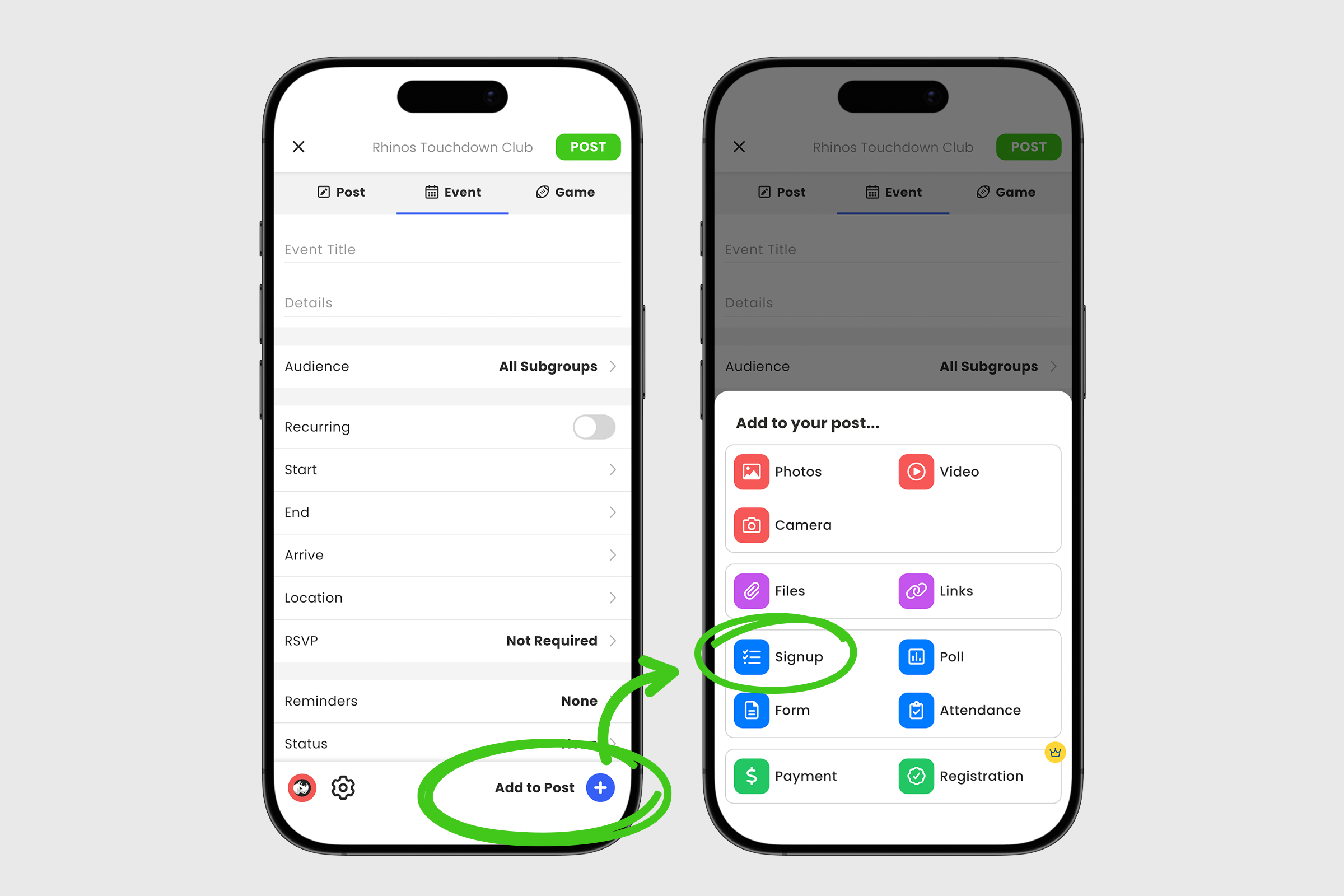
3. Enter a name for your signup, then tap Create Section.
4. Add a Section Name and optional Description, then tap the blue Add Section button.
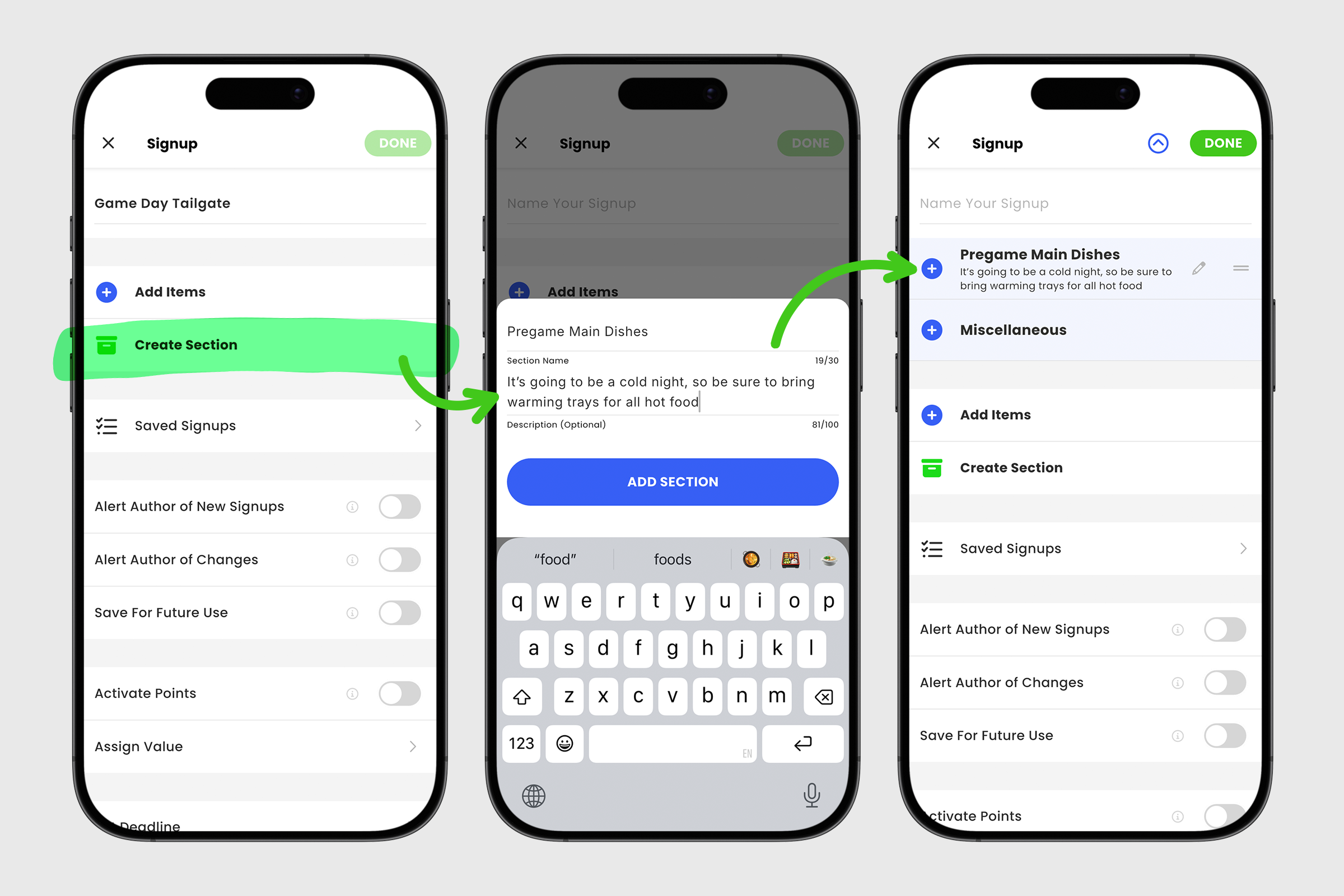
5. To add another section, tap Create Section again and repeat the process.
6. As you add sections, use the grippers icon to drag and reorder them as needed. Use the pencil icon to edit the section name.
7. GroupSpot automatically includes a Miscellaneous section for any items that do not fit within your custom sections.
8. Once your sections are created, tap the blue + icon on a section row to add individual signup items.
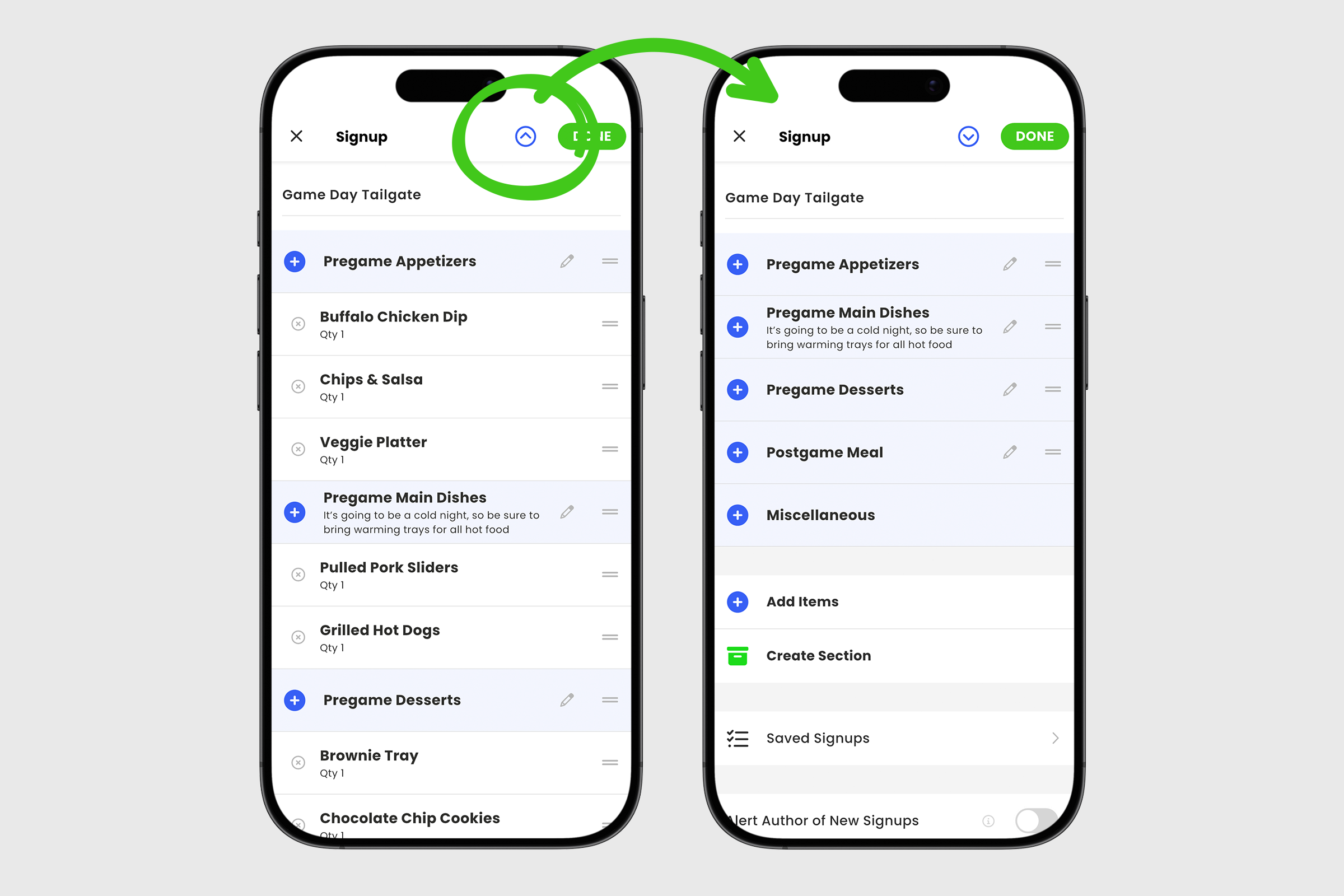
9. As signup items are added, sections will automatically expand. To make sections easier to reorder, tap the collapse icon to switch to a condensed view, then use the grippers icon to drag sections into place. Tap the same icon again to expand the section when you are ready to add or edit items.
After your sections and items are in place, you can enable Alert Author of New Signups, Alert Author of Changes, and Save for Future Use. Administrators can also set a deadline for the signup.
When your signup is complete, tap Done to return to the main post. Then tap Post to publish.
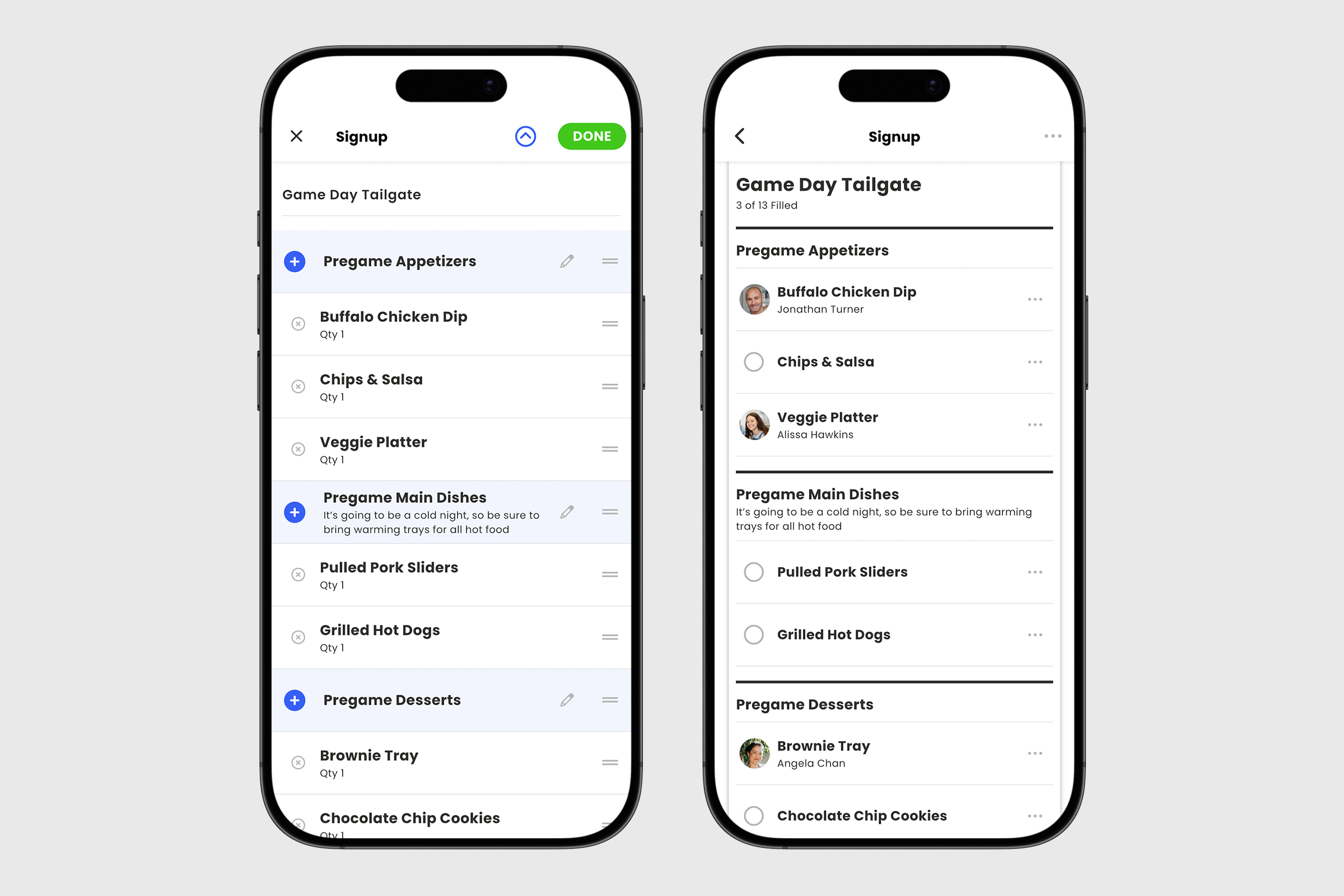
Well-organized sections make signups easier to understand and increase participation by helping members quickly find the opportunities that fit them best.


